

Starlink, Elon Musk’s revolutionary and ambitious satellite network, is widely known for its ability to provide Internet access to remote and underserved regions. With its hundreds of thousands of satellites, Starlink opens up new opportunities for global communications coverage. However, for many Starlink users, especially those who depend on Voice over Internet Protocol (VOIP), issues of quality and latency become important factors.
Starlink can support VoIP, but voice quality depends on latency, bandwidth stability, and network congestion. If you’re using VoIP over Starlink, you may experience occasional call delays or quality drops, especially during peak usage. The best results usually come from optimizing network settings and setting realistic expectations for call performance.
Can you do VoIP with Starlink? Shortly, yes.
And now we will look at the main factors affecting the quality of VOIP over Starlink, as well as offer recommendations for improving the connection and latency measuring.
Main factors to consider when using VoIP with Starlink
- Bandwidth and Speed
- Latency
- Network Congestion
- Backup Options
- VoIP Settings and QoS
Let’s begin our journey into the world of Starlink and VOIP to better understand how these two technologies interact with each other and how we can maximize the quality of our voice communications.
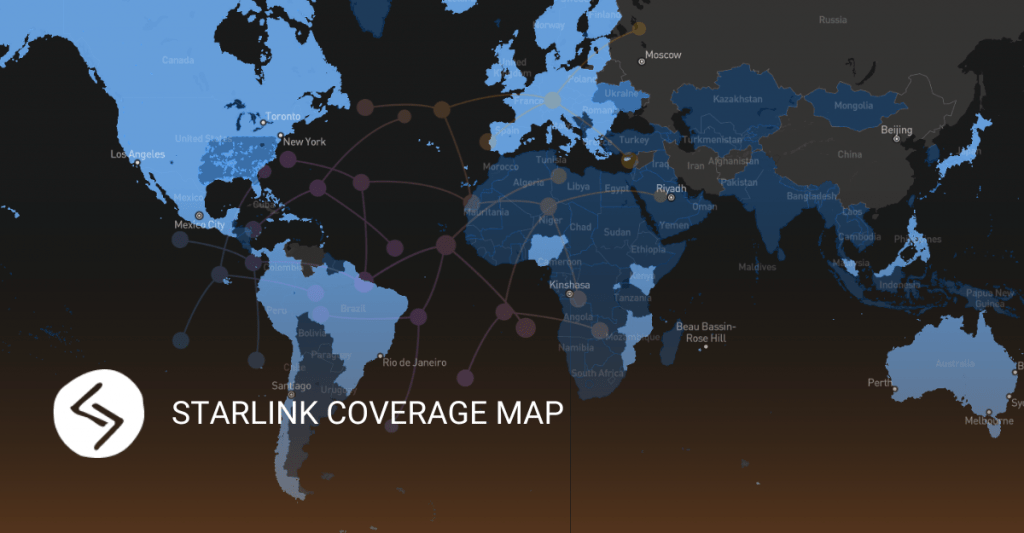
Description of the Starlink system and its main components
Starlink is a global satellite network developed by SpaceX, which aims to provide fast and affordable Internet anywhere on the planet. The main components of the system are Starlink satellites, transceivers (Terminals) and ground communication stations.
Advantages and limitations of Starlink in the context of Internet voice transmission
Starlink offers several advantages for voice over the internet. In particular, it allows connecting to the network in remote regions where traditional wired networks are not available. However, there are limitations related to the bandwidth and latency of the satellite connection, which can affect the quality of VOIP.
Looking at Starlink technology, we understand that it opens up new perspectives for global connectivity and Internet access, including voice over the Internet. However, the benefits and limitations of Starlink must be considered in order to maximize the quality of your VOIP connection. In the following sections, we’ll take a deeper look at the effects of latency on VOIP and latency measurement techniques to help you understand and improve your Starlink voice communications.
According to Starlink.com, customers on most service plans can expect latency between 25-50 ms and they really do. Starlink is a massive improvement in satellite Internet technology over traditional offerings – their median latency is about 600-700 ms.
| Metric | Starlink | Traditional VoIP (Fiber/Cable) | Impact on Call Quality |
|---|---|---|---|
| Latency | 25-60 ms | 5-20 ms | Noticeable delay in two-way calls |
| Jitter | 10-40 ms | 1-5 ms | Audio stuttering or choppy voice |
| Packet loss | 0.5-2% | Less than 0.1% | Dropped words or garbled audio |
| Download speed | 50-200 Mbps | 100-1000 Mbps | Sufficient for VoIP, but variable |
| Reliability | Weather-dependent | Consistent | Higher risk of call drops |
What you should know about VOIP
Description of the effect of delay on the quality of voice communication
Latency is one of the main factors that can affect the quality of voice communication through Starlink. Latency in a satellite connection is caused by the distance: the signal must travel to the satellite and back. Long delays can lead to echoes, dropouts, and general degradation of sound quality.
Analysis of latency, packet loss and other factors affecting VOIP over Starlink
In addition to latency, there are other factors that can affect the quality of Internet voice transmission through Starlink. Data packet loss, variation in transmission speed, and the effects of weather conditions can affect connection stability and sound quality during VOIP calls.
What steps can be taken to improve the quality of the VOIP connection using Starlink
There are several steps you can take to improve the quality of Internet voice transmission through Starlink. Establishing a stable connection, using quality equipment, setting traffic priority and monitoring the quality of the connection are just some of the recommendations that can be followed to improve the quality of VOIP through Starlink.


Delay measurement methods
Overview of various methods of measuring delay in networks
There are several methods of measuring delay in networks that can be applied to measure delay in Starlink. These include Ping testing, traceroute, one-way delay measurement, and jitter measurement. Also you may contact Starlink technical support in case of problems or instability.
Recommendations for using Starlink with VOIP
Physical conditions to ensure quality VOIP connection through Starlink
- Place the Starlink Transceiver (Terminal) in a location with minimal obstructions and ensure adequate ventilation.
- Use a stable power supply for the Terminal and make sure the equipment is operating in the proper temperature conditions.
Description of optimal equipment and network settings
- Make sure the router supports Quality of Service (QoS) to prioritize VOIP traffic.
- Set up your network to minimize packet loss and maximize transmission speed.
- Use a wired connection (Ethernet) if possible instead of a wireless connection to ensure a stable connection.
Consideration of the alternative solutions for VOIP communication
- Consider using alternative network providers or a combination of different communication technologies for VOIP backup.
- Investigate the possibility of using mobile or other network services to ensure a stable connection in case of problems with Starlink.
Summary of the main advantages and disadvantages of Starlink for VOIP
Advantages of Starlink in the context of Internet voice transmission
- Global coverage: Starlink provides the ability to access the Internet in remote areas where wired access is limited or unavailable.
- Transmission speed: Starlink provides high data transmission speed, which contributes to high-quality voice communication.
Highlighting the potential drawbacks and challenges associated with using Starlink for VOIP
- Latency: Satellite connections, including Starlink, can have higher latency compared to traditional wired networks, which can affect VOIP quality.
- Dependence on weather conditions: Adverse weather conditions, such as heavy rain or snow, can lead to interruption of the satellite connection and affect the stability of VOIP.
Conclusions
Starlink opens up new opportunities for voice Internet transmission, providing Internet access in remote regions and high data transfer speeds. However, using Starlink for VOIP can face challenges such as latency and vulnerability to weather conditions. It is important to consider these advantages and disadvantages and take steps to maximize the quality of your VOIP connection using Starlink.
FAQ
Starlink can support VoIP calls, but quality varies. Latency typically ranges from 20-60ms, which is workable for most voice calls. However, during peak hours or bad weather, you may notice delays or dropped quality. For business-critical VoIP, a backup connection is recommended.
Starlink’s latency for VoIP typically sits between 20ms and 60ms – higher than fiber or cable but lower than older satellite connections. Most VoIP codecs handle this well, though real-time conferencing tools may show occasional lag.
A few practical steps help: enable Quality of Service (QoS) on your router to prioritize voice traffic, use a VoIP codec optimized for higher latency such as G.729, avoid scheduling large downloads during calls, and position your Starlink dish with a clear, unobstructed sky view.
We don’t sell A-Z
Get professional advice
For general and sales inquiries regarding JeraSoft billing solutions, please contact the Sales Team at sales@jerasoft.net or use the form and a team member will get back to you as soon as possible.
Please contact JeraSoft Support for any product or support related questions at support@jerasoft.net or visit JeraSoft Documentation.